
01
Open the demo rather than the full-game listing
The official Steam product you want for the playable demo is Find The Needle Demo, identified by App 5165210. The related full game is called Find The Needle and uses a different product identifier, App 5160800. These are two listings for the same developer's project, rather than interchangeable download pages. Checking the full product title before following a download link keeps the demo's availability and platform information attached to the correct version.
The official demo page is the primary source for the facts in this article. The full-game page is useful when you want to follow the wider project. Its existence does not prove that buying or downloading the demo includes the future full game. A confirmed relationship between their saves, progression or entitlements is 待确认 in the collected material.
02
Check the price and recorded release date
The research snapshot records the Steam demo as free, and the official product data gives its release date as September 10, 2026. That answers the immediate question of whether the verified demo requires a purchase. It does not establish a future full-game price, a discount schedule or a paid upgrade arrangement. Those are separate commercial details, so this guide does not substitute the demo's free status for an unverified full-game offer.
The developer is FindTheNeedleDev, and the saved Steam listing names Hay Passionates as the publisher. These identity details help distinguish this project from other games and ordinary searches about needles in haystacks. The title and product identifier are more reliable for that purpose than a similar thumbnail or a search result using only the word needle. Release and availability statements here describe the sources reviewed on September 28, 2026, rather than a continuously refreshed store feed.
03
Follow the developer's current download direction
The saved developer page on itch.io directs players to Steam for the demo. That makes the Steam demo listing the appropriate destination for the site's play button and this guide's download link. An older itch.io reference should therefore be treated as background about the project, rather than proof of a current alternative build. This article does not offer mirrored archives, repackaged downloads or a file presented as newer than the official source.
For a straightforward acquisition check, read the product name, confirm that you are on the demo listing and inspect its operating-system requirements. Then use the availability and installation controls presented by Steam for your account. This is navigation guidance, not a claim that the site has installed or benchmarked the game on your computer. If the store or client presents different current information, the difference needs checking against that live listing rather than an assumed download procedure.
04
Understand what the demo actually describes
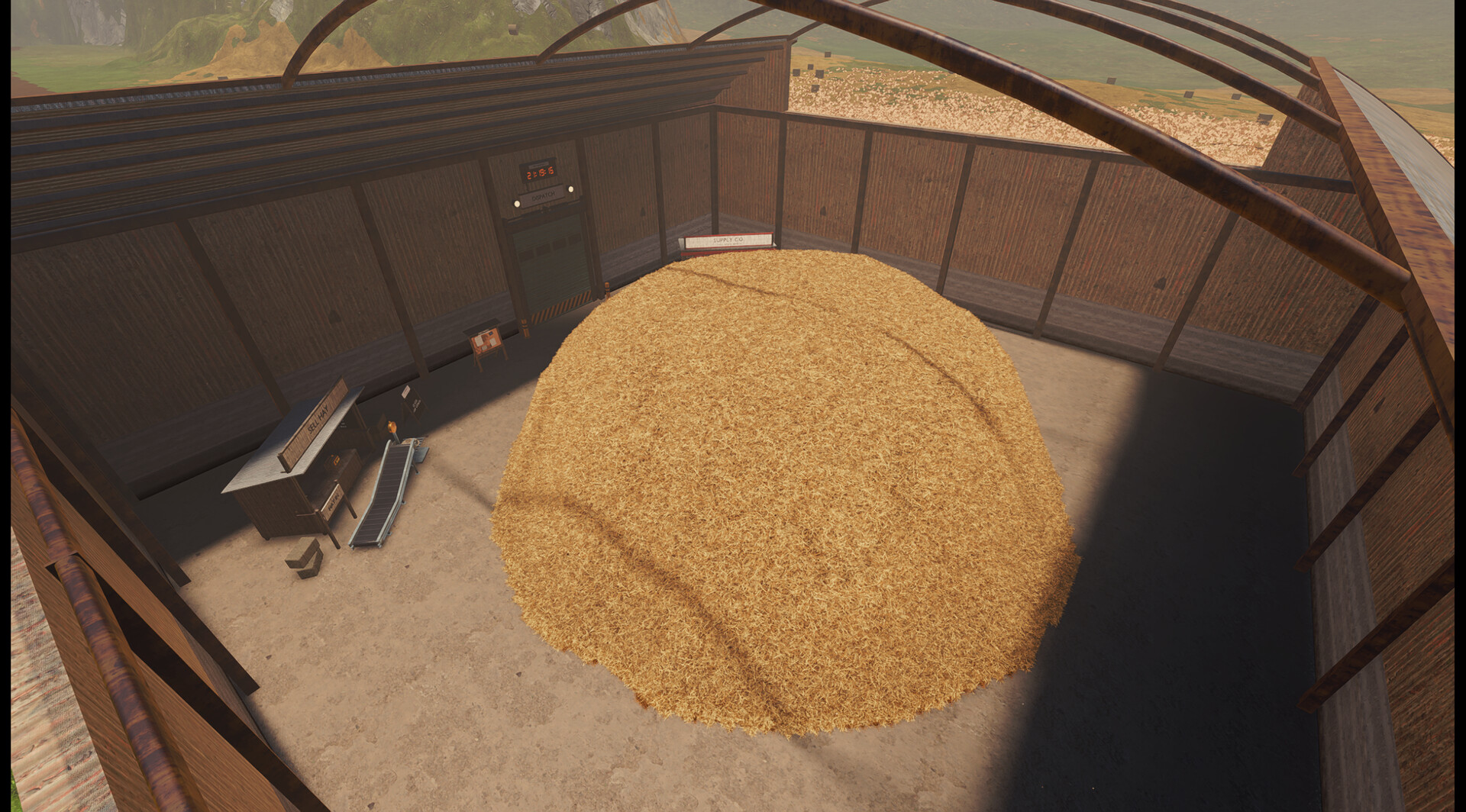
The official description presents an incremental simulation built around searching a haystack for needles. You begin with manual work, sell hay and put the resulting money toward tools and machinery. The named manual tools include shovels, buckets, wheelbarrows, pitchforks and vacuums. These names establish the kinds of equipment in the game's description, but they do not establish a fixed buying order, individual prices or the rate at which each tool collects material.
Automation expands that loop through conveyor belts, machines, power connections, scanners and robotic arms. The official page also names robots, drones, hay wrappers, paper machines and sorting machines as part of the broader factory description. Hay products include pulp, compressed bales, eco bricks, paper and pellets, giving the factory several processing directions. Exact recipes, conversion ratios and a universally best profit route remain 待确认, so the download guide does not advertise a supposedly guaranteed factory build.
05
Read the Windows requirements before installing
The saved minimum specification lists Windows 10 64-bit, a processor with four cores and eight threads, and 8 GB of RAM. Its named CPU examples are the Intel i5-8400 and Ryzen 5 2600. Graphics requirements specify a dedicated GPU with Vulkan 1.3 support and 4 GB of VRAM, with the GTX 1050 Ti or RX 570 as examples. The listing also requires 2 GB of available storage, so the operating system alone is not the complete compatibility check.
The recommended specification moves to Windows 11 64-bit, 16 GB of RAM and a processor with six or more cores. It gives the Ryzen 5 5600 and Intel i5-12400 as CPU examples and lists the GTX 1660 Super and RTX 2060 with 6 GB of VRAM for graphics. Integrated graphics are expressly unsupported and may crash according to the developer's note. Measured frame rates and guarantees for a particular laptop, desktop or compatibility layer remain 待确认; the dedicated PC article keeps these hardware details together.
06
Separate advertised progression from a full checklist
The Steam description states that the technology tree contains more than 300 upgrades. It associates progression with unlocking machinery, improving production speed, increasing efficiency and expanding the factory. This is a developer description of the technology system, rather than a site-tested catalogue of every available research node. It does not tell us that every node is immediately available, that all nodes belong to the demo's starting state or that buying them is the definition of completion.
The search objective is to find needles, but the saved official description deliberately leaves the final outcome unspecified. It does not provide a complete ending sequence, an exact total needle count or a verified achievement route. Those missing details are 待确认 rather than a reason to turn a video title or upgrade count into a completion promise. If that is your next question after downloading, the separate 100% article keeps the objective and the evidence gap distinct.
07
Keep the Steam play mode separate from community mods
The official Steam demo is listed as single-player in the saved research. A separate Nexus Mods project by AleDev11 describes co-op for the demo using a shared haystack and Steam's relay network. Those multiplayer statements belong to the mod author's documentation, not to a built-in co-op feature on the official store listing. Downloading the base demo therefore should not be presented as automatically installing or enabling that community project.
The saved mod page identifies version 0.17.0 and says players need the same mod version. Its author describes host-only machine processing and saving, shared money, per-player tools and a disabled online leaderboard while the mod is loaded. The site has not performed an installation or connection test, so current compatibility and a successful session on your setup remain 待确认. The multiplayer article explains those author-stated requirements without mixing them into Steam's native feature list.
08
Use official updates and the right follow-up guide
Keep the demo's official store page and the developer's official page as the reference points for a changed download, requirement or product description. The recorded research establishes their identity and the facts above, but it does not establish an automatic history of every subsequent build. A latest-update date, fixed version number for the installed demo and a promise about future full-game content are 待确认 where the saved material does not supply them. This prevents an old snapshot from becoming an unsupported current-release claim.
After finding the correct Steam product, choose the article that matches your next practical question. The PC game guide covers the recorded minimum and recommended hardware, while the Mac article separates native support from untested compatibility. For play itself, the beginner and factory guides explain the confirmed hay-selling and automation loop. These are focused follow-up pages, so Steam acquisition does not need to double as an invented machine database or a complete hidden-item walkthrough.
Questions
What players ask
Which Steam page contains the free demo?
Find The Needle Demo, App 5165210, is the verified free demo. Find The Needle, App 5160800, is the separate full-game listing.
Does downloading the demo prove Mac or co-op support?
No. The saved official demo listing supports native Windows and single-player. Mac compatibility remains 待确认, and the documented co-op option is a separate unofficial mod.